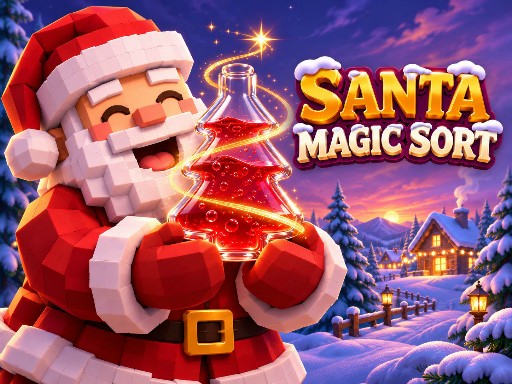

Christmas unblocked games usually means one thing: something you can open in a school break without installing anything. The four games on this page are exactly that — browser builds that run in the tab you already have, with no download, no install and no account. Press play above, or scroll for the other three.
What makes a Christmas game unblocked
Three things have to be true before a game plays on a locked-down laptop or a school Chromebook: it runs inside the browser (no Flash, no executable file), it needs no install and no login, and it works with the trackpad or touchscreen the machine already has.
All four games here are HTML5 builds served in an ordinary iframe. There is no download step, no plugin, no pop-up asking you to install an app and no sign-up wall — the game files arrive over the same HTTPS connection as the page itself. That is the whole reason a browser game travels where a downloadable game cannot.
What we cannot promise is your school's filter. Blocklists are local: a network administrator sets them per school and changes them without notice. If this domain does not open on the school Wi-Fi, the games will not open either, and no website can change that from the outside. Playing from home, or on a phone over mobile data, always works.
Which of the four to open first
| Game | Board type | Session length | Controls |
|---|---|---|---|
| Santa Magic Sort | Pour magic liquid between Santa's vessels | 2–6 min per challenge, 30 challenges | Click or tap |
| Liquid Sort Deluxe | Sort colours into test tubes, unlimited levels | 1–5 min per level | Click or tap |
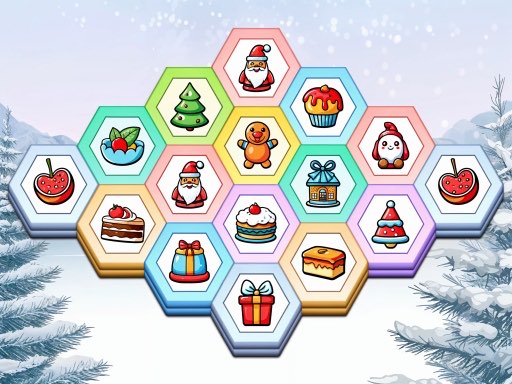
| Holiday Hex Sort | Drag and merge festive hex tiles, timed boards | 1–3 min per board | Drag or tap |
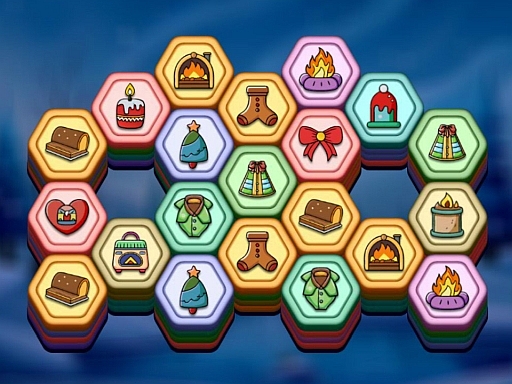
| Winter Hexa Stack | Stack matching winter hex tiles into slots | 1–4 min per round | Click or tap |
A five-minute break belongs to Holiday Hex Sort — the boards are timed and end themselves. A longer stretch belongs to Santa Magic Sort: 30 named challenges tracked in its own menu, plus coins to spend on glasses and Santa hats. If you only want colour sorting with no clock, Liquid Sort Deluxe has unlimited levels and an optional no-timer mode.
How to play on a school Chromebook
- Press Play Santa Magic Sort on the cover above. The cover turns into a loading animation while the game files arrive.
- Give it 5–15 seconds. The first load is the slow one; afterwards the same browser reuses most of it.
- Tap Fullscreen in the row under the game. All four are landscape builds, and without it the bottles are thumb-sized.
- Click or tap to pour: Santa points at the bottle he is holding, you choose the vessel to pour into. Undo, Restart and Hint sit in the in-game menu.
- Keep the tab open if you are coming back after class — reloading restarts the current board, though saved levels and coins stay.
If the page loads but the game does not
- The cover stays a cover. The iframe is still fetching. Wait ten seconds before reloading.
- Blank board, no loading bar. Reload once. If it repeats on the same network the game host is filtered, and a third reload will not help.
- Board cut off on a phone. Turn the device sideways and press Fullscreen — nothing here is built for portrait.
- Sluggish pours on an old laptop. Close other tabs. Two of the four hold a fair amount in memory, and a school machine with twenty tabs open will struggle.
- No sound. Check the tab's mute state first: browsers keep autoplaying pages silent until you interact with them.
Ads, blocked scripts and why that matters at school
School networks often strip third-party scripts. Nothing on this page depends on them: if the advertising script is blocked, the page and the game still load, because the game pulls its own files from the game host rather than from an ad network. The one thing you may lose is the optional reward ad in Liquid Sort Deluxe that unlocks an extra tube — the game plays without it, just with one tube fewer.
Why sorting games suit a class break
A sorting game has no story intro, no matchmaking lobby and no thirty-minute tutorial. You can clear one board inside a single break and stop without losing anything, which is exactly what a school break allows. None of the four has a chat box, a public leaderboard or a friend list, so there is nothing to sign up for — and nothing for a filter to object to beyond the domain.
Want the collection rather than the school angle? The Christmas sorting games hub compares all four by feel and by difficulty, and the Santa Magic Sort home page explains the 30 challenges in the flagship game.
Christmas unblocked games — questions players ask
Are Christmas unblocked games really unblocked at school?
Only your school's filter decides that. What is true here: all four games run inside the browser, need no download, no install and no account, and load over ordinary HTTPS — that is the part a game site can control. If the domain is blocked, no website can fix it from the outside.
What can I play on this page right now?
Santa Magic Sort plays above — press the cover to start. Beneath it are three more: Liquid Sort Deluxe, Holiday Hex Sort and Winter Hexa Stack. All four are free, all four open in the same tab, and none of them asks you to create anything.
Do these games work on a school Chromebook?
Yes. They are HTML5 builds rather than downloads, so a Chromebook runs them in Chrome like any other page. A trackpad is enough — every game is click or tap and none needs a keyboard. Press Fullscreen for a bigger board.
Do I need an account, an email or a sign-up?
No. There is no login anywhere on this site: no email, no password, no social sign-in. Progress such as levels, coins and unlocked glasses is kept by the game in this browser's storage, on this device only.
How long does the first load take?
Usually 5 to 15 seconds on school Wi-Fi, because the game files arrive only when you press play. Later visits in the same browser are faster. If the cover has still not turned into a board after half a minute, reload once.
Will my progress be there tomorrow?
Only if this browser keeps its storage. Levels, coins and unlocked glasses are saved locally per device, so a Chromebook that clears its profile at logout starts again from challenge one. Nothing is stored on our servers and no account can restore it.
Are these games free?
Yes. All four are free browser games with no paywall, no level-unlock fee and no subscription. The site is supported by advertising, which is why an ad may appear before a game starts.
Can I play on a phone or tablet instead?
Yes. All four are landscape builds that work with touch — turn the phone sideways or press Fullscreen. On a phone at home they load faster than on a filtered school network, and none of them needs a desktop.
Player comments
No comments yet — tell us which game loaded on your school network.